
Web app
Guitar Circuits
Say the sound. Get the schematic, BOM and board.
Describe an instrument wiring, a pedal, an amp or a speaker in plain language. The app resolves it to a pin-level schematic, a priced parts list, vendor carts and fab-ready PCB files — a human approves every purchase.
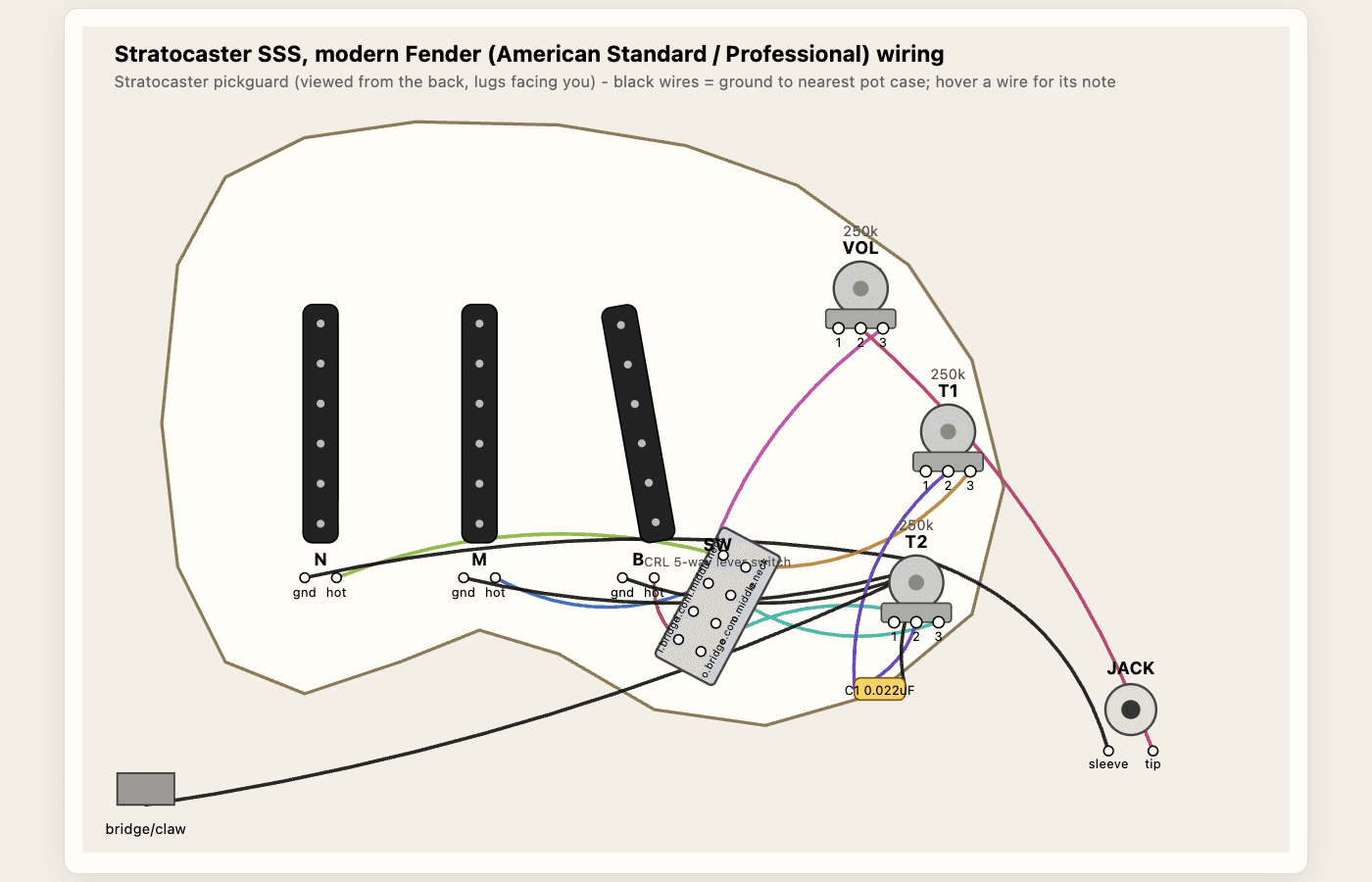
A generated Stratocaster SSS layout — viewed from the back of the pickguard, exactly as you'd wire it.
Instrument wiring library
Researched wirings for Strats, Teles, P/J basses, Gretsch, Jazzmaster, Mustang, Bass VI, PRS rotary and more — each with pin-level connection lists and a drawn layout of the actual pickguard.
50+ pedal circuits
Tube Screamer, Big Muff, Fuzz Face, Bluesbreaker, HM-2, Octavia, Cry Baby and the rest of the canon — as validated netlists with mods, variants and per-part specs.
BOM and sourcing
Every build resolves to a real parts list with vendor carts (Mouser, Tayda, Amazon, Reverb, boutique pickup makers) at budget-to-boutique price points. Nothing orders itself — you review and check out.
PCB and fab files
Generates KiCad boards with routed copper, DRC reports, Gerbers and drill zips ready for JLCPCB or OSH Park. Boards that need routing attention say so instead of pretending they're done.
Amps, speakers and hi-fi
Tube amp chassis plans and BOMs (with a high-voltage acknowledgement gate), Thiele-Small cabinet sizing, crossover calculations, and desktop hi-fi enclosure layouts.
Built for agents
Every feature is an API call documented at /api/agent. Mint a key, hand it to your agent, and it can interpret requests, resolve builds, plan carts and file requests on your projects.
How it works
From a sentence to a shopping cart and a Gerber zip, with a human review at every step.
- 1
Sign in with your email — no password — and describe the build in plain language: "strat SSS with a treble bleed", "tube screamer with an extra fuzz knob".
- 2
Pick the wiring, mods and hardware. Pickups are catalogued by type with voicing notes and active/passive fit warnings; tuners, bridges, strings and straps span low to high end.
- 3
Review the pin-level wiring diagram, BOM and per-vendor carts. Save the project, or Save As your own copy of a base design.
- 4
Generate the PCB, check DRC, download Gerbers. If a board needs routing work, file a Request on the project and it lands in the admin queue.
Frequently asked
Does it order parts for me?
No. Cart plans and Mouser order drafts are prepared for review — a human always checks out. Prices shown are indicative street prices until you verify a specific SKU.
What are base projects?
Curated reference builds every account can open. They're read-only — Save As makes your own editable copy, so nobody can accidentally rewrite the master.
How do I get a board routed?
PCBs route automatically where the design allows. Dense boards come back flagged with DRC violations; file a free-text Request on the project (e.g. "please route this") and it shows up in the admin queue.
How does the agent part work?
Under Account you create an API key and paste a short setup block into your agent. It reads the machine-readable contract at /api/agent and can then design, resolve, price and save builds as you — but it can't change account settings or do admin actions.
Is the tube amp stuff safe?
Amp designs carry explicit high-voltage warnings and the order plan refuses to build until you acknowledge them. Treat them as a researched starting point, not a substitute for knowing what's inside the chassis.
Request an invite
Accounts are invite-only for now. Leave your email and (optionally) what you'd use it for.